Countdown to any date

Pick a date and a time, and see how many days, hours, minutes and seconds are left. Copy the link to share the countdown, or add the day to your calendar with a reminder.


-- days
-- hours
-- minutes
-- seconds

Reminder App for Chrome: reminders that ring with no tab open

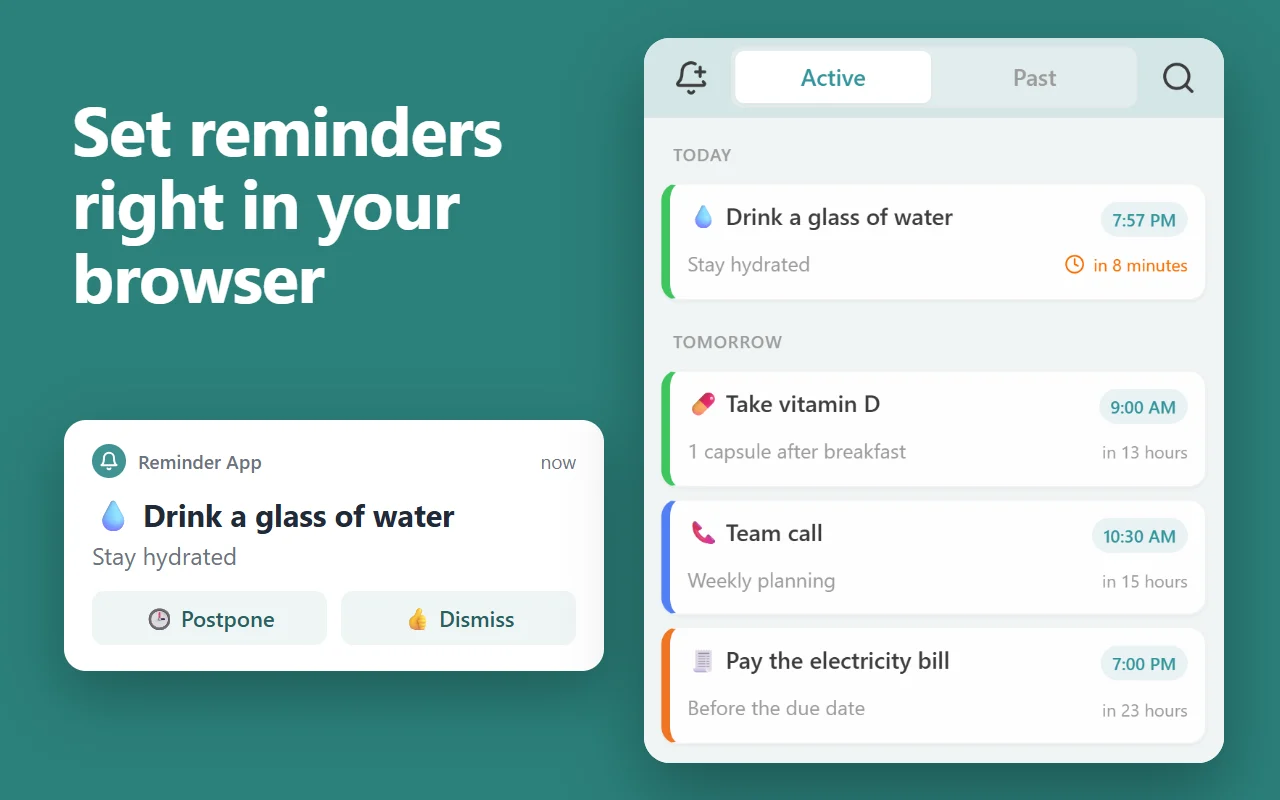
This page rings only while it stays open. Our free Chrome extension keeps your reminders in Chrome’s side panel and rings each one with a notification and a sound whenever Chrome is running, on every computer where you’re signed in to Chrome with sync on.

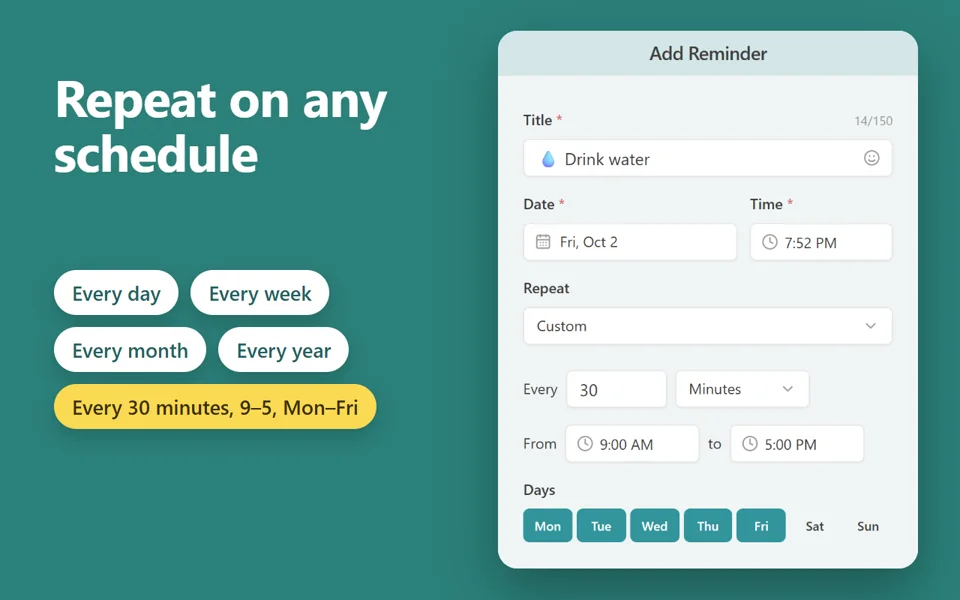
  • Repeats every day, week, month or year, on chosen weekdays, or every few minutes between set hours
  • Priority reminders ring until you answer; Postpone or Dismiss from the notification
  • Reminders missed while Chrome was closed show as one summary when it starts again
  • Right-click a page, a link or selected text to make it a reminder that opens the page
  • Free, with no account. In 52 languages.
Add the extension to Chrome

Free · 30,000 users · rated 4.8 in the Chrome Web Store
For Chrome on Windows, Mac, Linux and Chromebooks.

Reminder App in Chrome’s side panel: today’s and tomorrow’s reminders, and a notification with Postpone and Dismiss Reminder App’s form: a reminder to drink water every 30 minutes from 9 to 5, Monday to Friday

Countdowns people make

Add to calendar saves an .ics file. Google Calendar, Outlook and Apple Calendar open it, and it reminds you on the day.

Questions and answers

How are the days counted?

From this moment to the date and time you pick, in your computer’s time zone. A countdown to a date with no time runs to midnight at its start.

Can I share my countdown?

Yes. The page’s address holds your date, time and name: copy the link and anyone who opens it sees the same countdown, in their own time zone.

More free extensions from our team

Small tools for Chrome that do one job well.