Set minutes and seconds, press Start, and it rings when time is up. It keeps counting while you work in other tabs, and full screen turns it into a big clock for a room.
5:00Ready
Timers on this page
Nothing set yet. What you set here rings in this tab.
Click anywhere on the page so it may play sound.
Rings while this tab is open and the computer is awake.
This browser isn’t saving them: a reload clears them.
Reminder App for Chrome: reminders that ring with no tab open
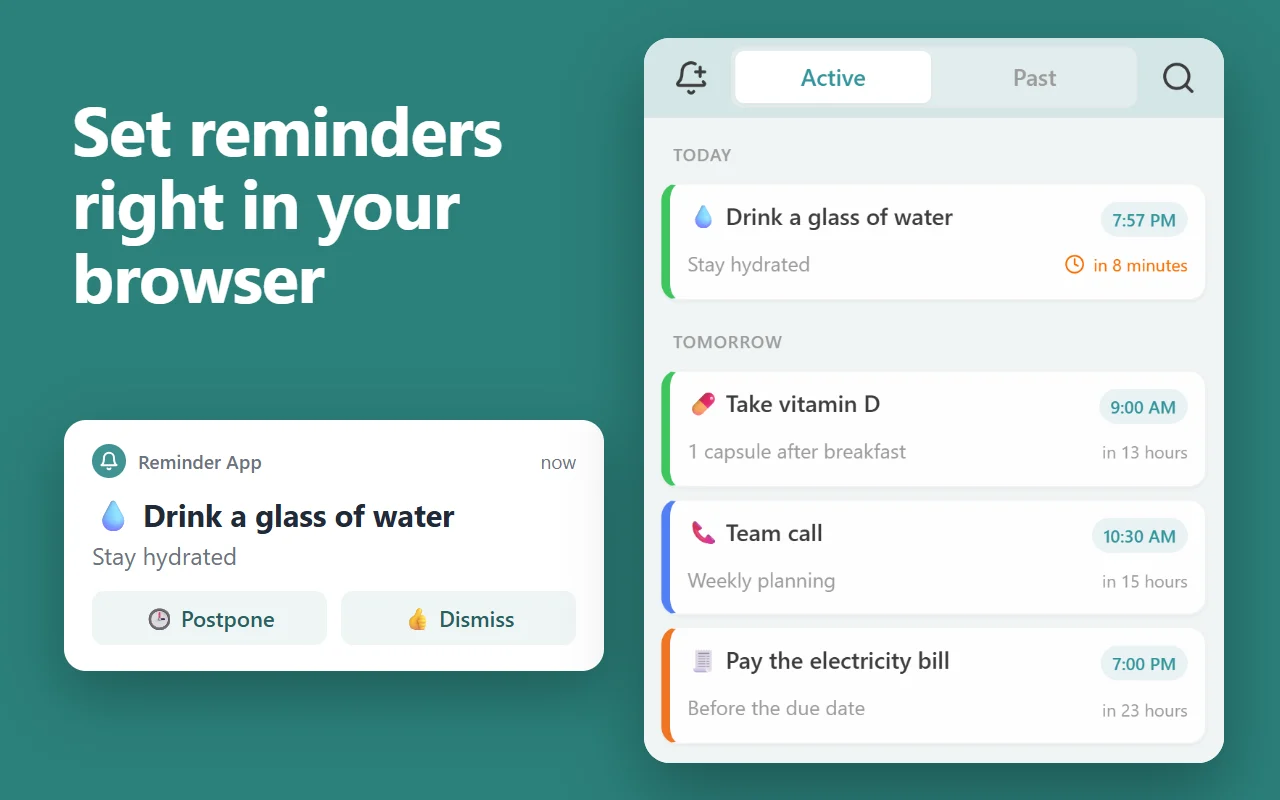
This page rings only while it stays open. Our free Chrome extension keeps your reminders in Chrome’s side panel and rings each one with a notification and a sound whenever Chrome is running, on every computer where you’re signed in to Chrome with sync on.
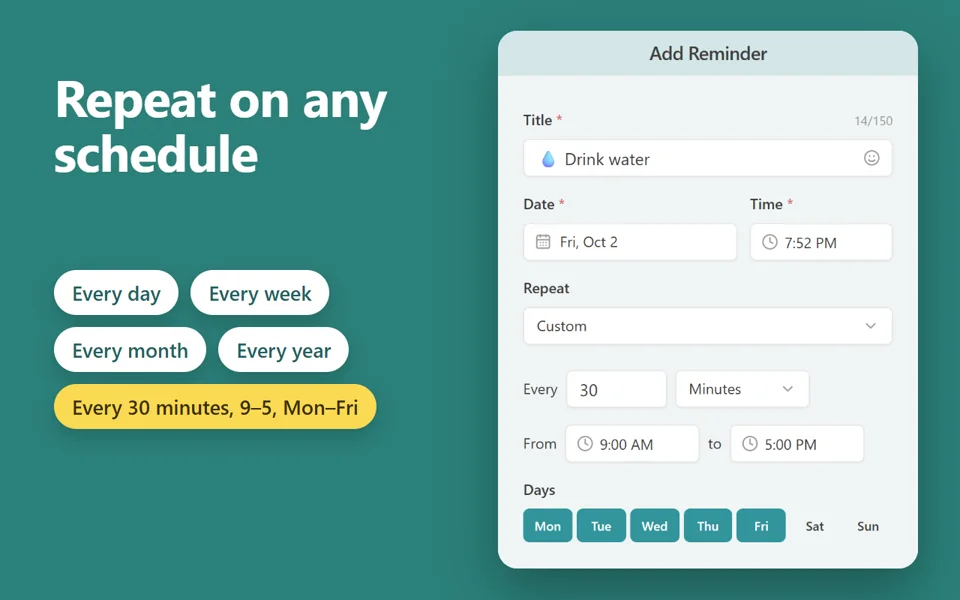
Repeats every day, week, month or year, on chosen weekdays, or every few minutes between set hours
Priority reminders ring until you answer; Postpone or Dismiss from the notification
Reminders missed while Chrome was closed show as one summary when it starts again
Right-click a page, a link or selected text to make it a reminder that opens the page
Free · 30,000 users · rated 4.8 in the Chrome Web Store For Chrome on Windows, Mac, Linux and Chromebooks.
How to use the online timer
Pick a preset, or type hours, minutes and seconds under Custom length.
Press Start, or the space bar. Press it again to pause, and Reset to start over.
When time is up, it plays the sound you chose until you press Dismiss, or Snooze for 5 or 10 more minutes.
Full screen shows only the dial and its numbers, large enough to read across a room.
Questions and answers
Does the timer keep running in another tab?
Yes. It counts from the clock, not from the screen, so it stays right while the tab is in the background, and it rings there. If the computer sleeps, it rings as soon as it wakes.
Can I run several timers at once?
Yes. Each timer page runs its own timer, and all of them show in the list beside the dial. They ring in turn if two end together.
Will it ring if I close the tab?
No: a web page can ring only while it is open. For reminders that ring with no tab open, use the Reminder App extension for Chrome.