Pick a time and a sound, and your computer rings like an alarm clock until you stop it or snooze it. Keep this tab open, and keep the computer awake and its sound on.
Alarms on this page
Nothing set yet. What you set here rings in this tab.
Click anywhere on the page so it may play sound.
Rings while this tab is open and the computer is awake.
This browser isn’t saving them: a reload clears them.
Reminder App for Chrome: reminders that ring with no tab open
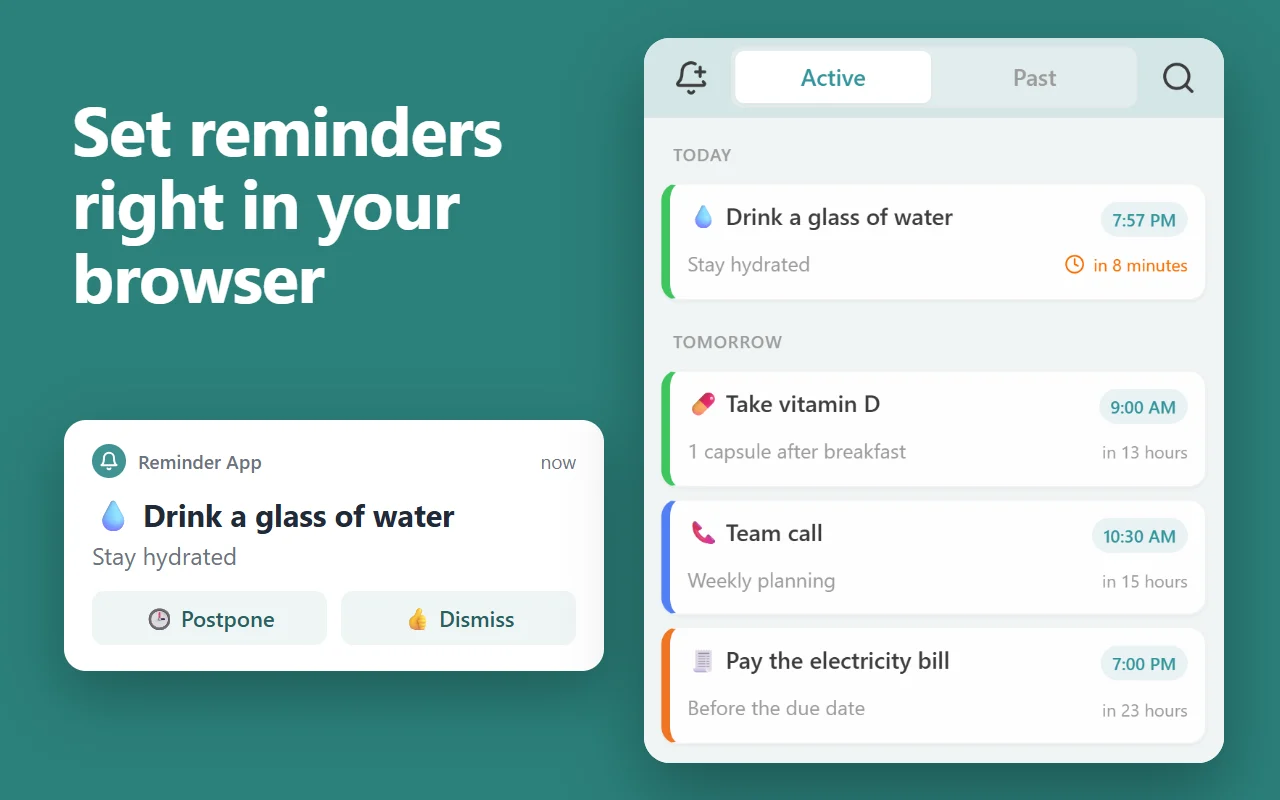
This page rings only while it stays open. Our free Chrome extension keeps your reminders in Chrome’s side panel and rings each one with a notification and a sound whenever Chrome is running, on every computer where you’re signed in to Chrome with sync on.
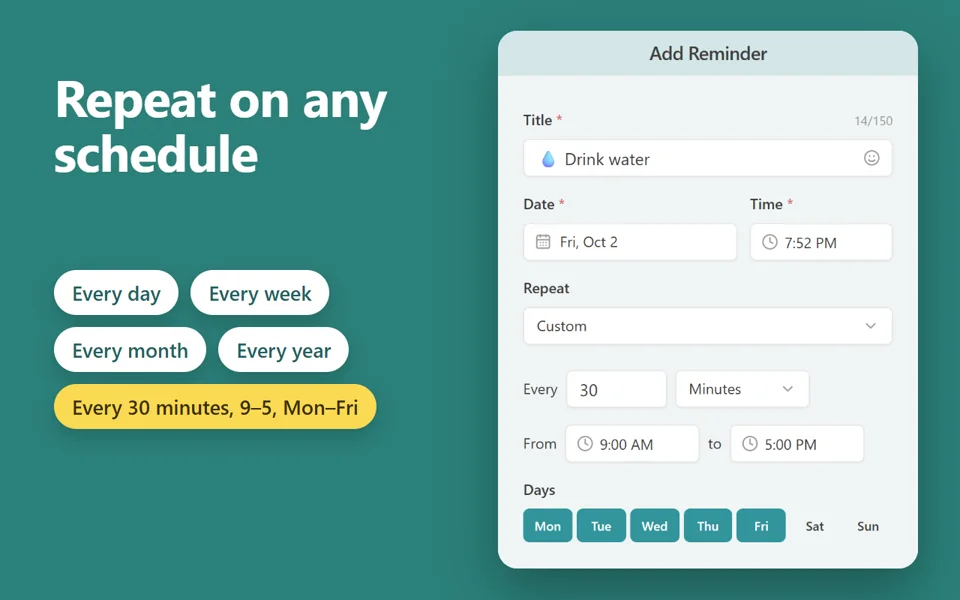
Repeats every day, week, month or year, on chosen weekdays, or every few minutes between set hours
Priority reminders ring until you answer; Postpone or Dismiss from the notification
Reminders missed while Chrome was closed show as one summary when it starts again
Right-click a page, a link or selected text to make it a reminder that opens the page
Free · 30,000 users · rated 4.8 in the Chrome Web Store For Chrome on Windows, Mac, Linux and Chromebooks.
How to set an alarm on your computer
Type the time, or pick one of the common times.
Add a label if you like, such as “Leave for the bus”.
Choose a sound and press Set alarm. When it rings, press Dismiss, or Snooze for 5 or 10 more minutes.
Before you rely on it overnight, check three things: the computer won’t sleep, its sound isn’t muted, and this tab
stays open.
Questions and answers
Will the alarm ring if my computer goes to sleep?
No. A sleeping computer runs nothing, so it rings only when it wakes. For a morning alarm, change your power settings so the computer stays awake, and leave the sound on.
How loud is it?
As loud as your computer’s volume. The volume slider here sets the alarm against it; Test plays the sound once so you can check.
Can I set an alarm for every day?
Yes: turn on Every day. It rings at that time each day while this tab stays open.